
1 – Firstly, search for the contact you want to add the qualifications to, by using the search at the top of your screen. Then double click their name to go to their record:

From the individuals record, select the tab ‘Coach/Volunteer’ and scroll down the page until you reach ‘CPD Activities’:
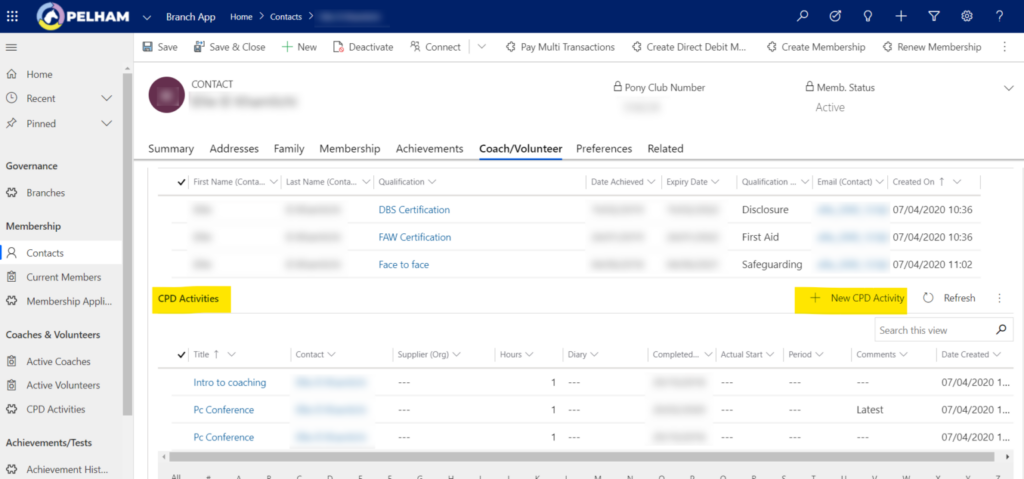
Then click ‘+New CPD Activity’.
From the ‘New CPD Activity’ page you need to complete the fields marked with * (Title of the activity, check the contact is correct, date it was completed on and hours of the activity):
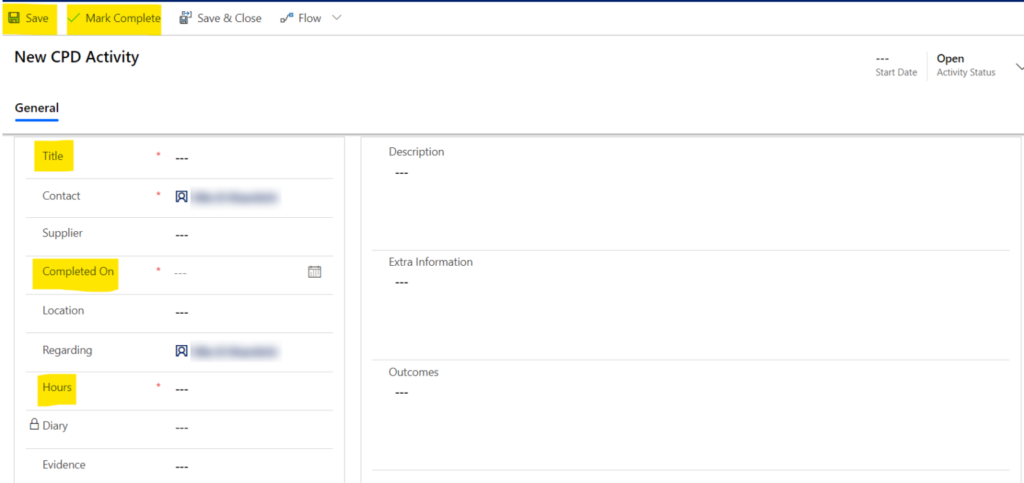
Finally save and mark this activity as complete (top left).


