
If you have entered the incorrect qualification or date for the qualification, you will need to deactivate it as follows:
Firstly, you need to find the qualification you wish to remove from a contact:
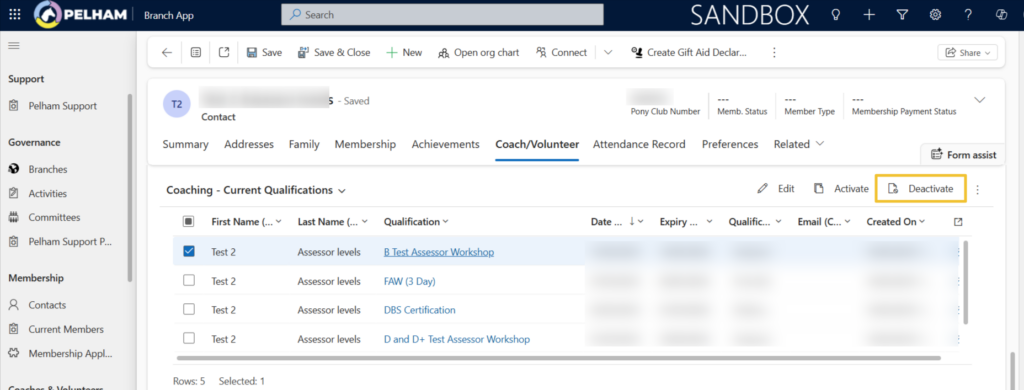
You can select one or multiple Qualifications from the Coach/Volunteer tab and select ‘Deactivate’, or you can double click on the qualification you wish to remove (Avoid clicking the blue text)
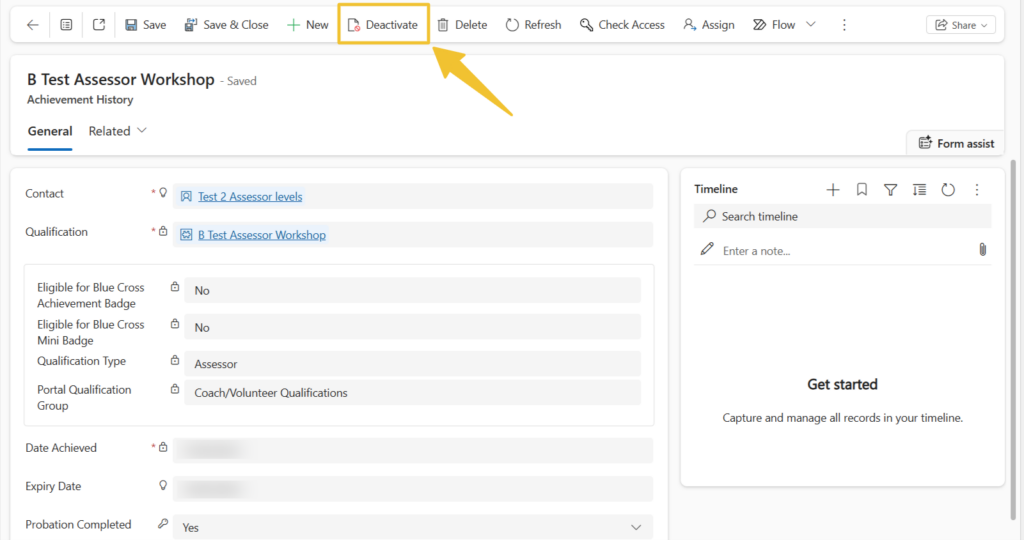
Next click ‘Deactivate’ in the top left of the screen as highlighted below:
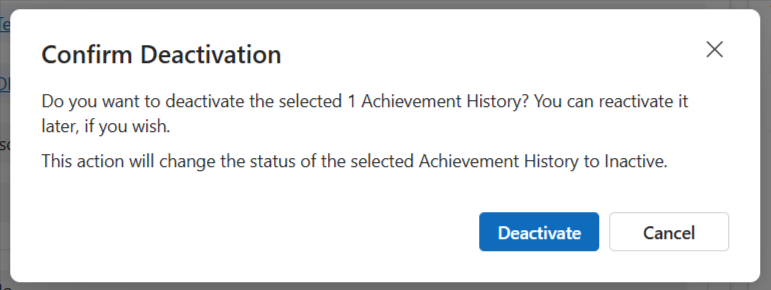
Finally click ‘Deactivate’ on the confirmation window, and the qualification will disappear from the contacts record:


