
DC approval for new Branch members
When a new branch member applies for membership, via the online Portal, through the membership team or using a membership form, it will only become ‘Active’ once the membership has had the DC approval from the Branch.
Area Reps can view the status of Member Applications across their area by selecting the “Member Application” in the left hand navigation:
This process can be approved as follows but is a Branch function so this process is for information only:
1 – The DC will receive an email informing them a new member has requested to join and is awaiting their approval.
2 – The DC needs to go into PELHAM and approve the membership. Firstly, you need to select ‘Membership Applications’ on the left-hand panel of PELHAM:
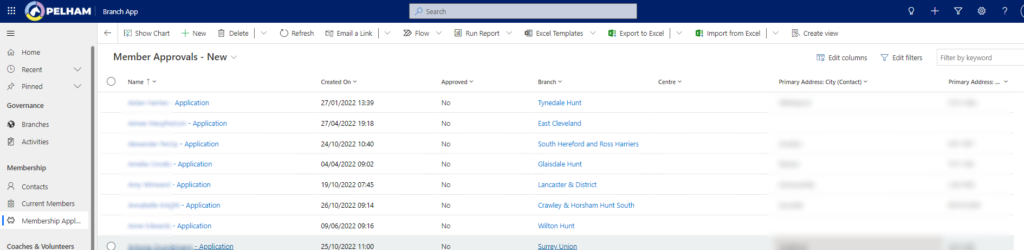
3 – Here you will see the active membership applications that are awaiting your approval.
4 – The Branch DC or nominated person needs to then click on an application.
5 – Here you will need to change ‘Approved’ from No to Yes for the membership to become active:
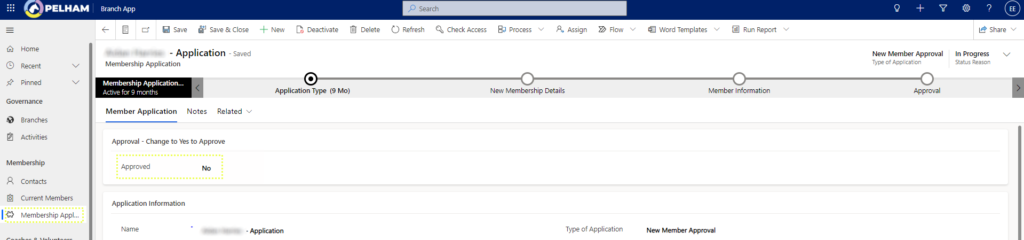
To view member details prior to Approval, click on the “Member Application” and then Contact to view the Summary page.


