
All Coaches in PELHAM are categorised as one of two types:
- ACTIVE
- EXPIRED
This type determines whether or not the coach can currently be used.
Active coaches must have both of the following certifications in place and up-to-date:
- Disclosure Check
- Safeguarding Certificate
Active coaches may be used by branches and centres (subject to the restrictions below).
Expired coaches are defined as any coach who is missing either a disclosure check or safeguarding certificate. Expired coaches should not be used until their certifications have been updated.
Active Coach Subtypes
Active coaches are further categorised based on the following criteria:
Accredited coaches must satisfy all of the criteria below:
- Aged 18+
- Has up-to-date Pony Club CPD
- Has up-to-date First Aid Certificate
Accredited coaches may coach unsupervised, and may also supervise other coaches.
Supervised coaches must also satisfy all of the criteria below:
- Aged 16+
Supervised coaches must be in the presence of an accredited coach at all times.
Coach Type Flowchart
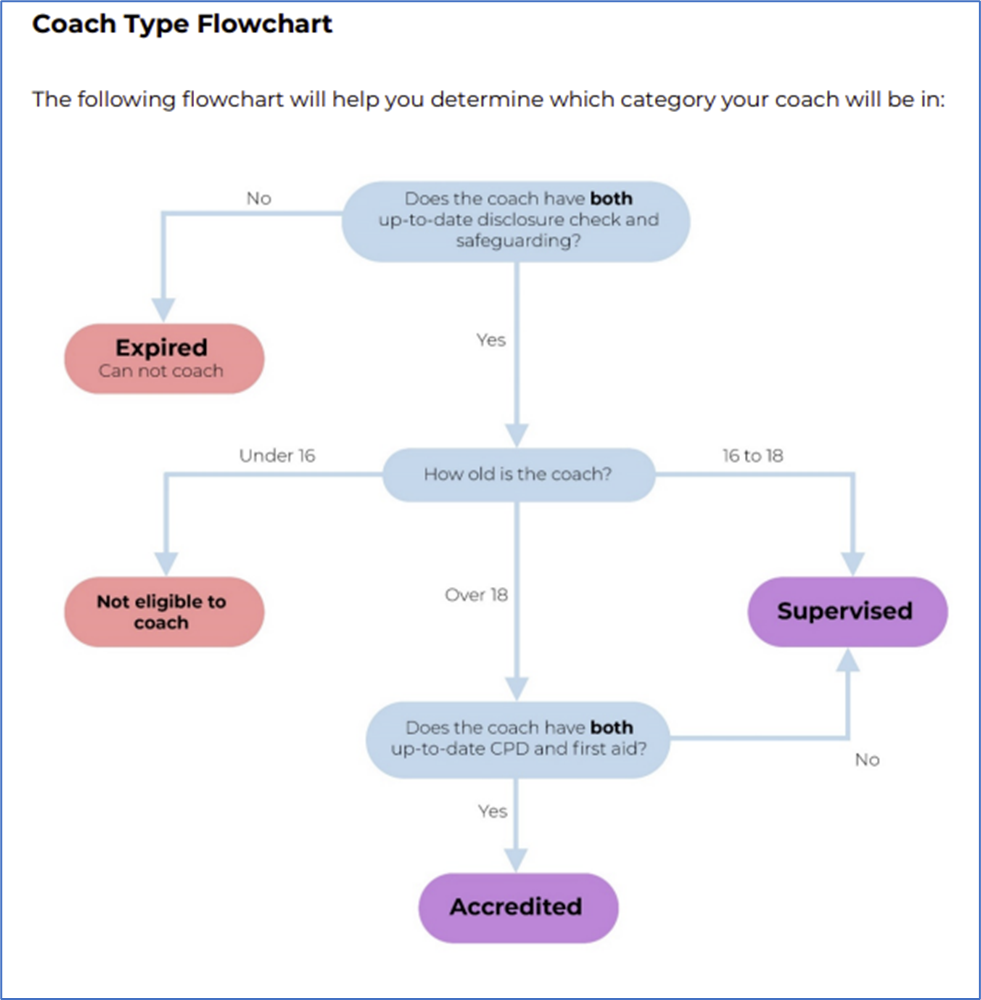
Choosing the correct coach type on PELHAM
When adding the coach to PELHAM, you do not need to know which type they will be. You can create them as any coach type, and the system will run an automated process to ensure that they are placed in the correct category (this may take up to 24 hours).
How to add a Coach Role
The below will explain how to add a coach role to a contact that exists already within Pelham, if they do not exist on Pelham you will need to create their personal contact first.
There are 2 ways to add Coach role, either directly from the existing Contact record, or from within the Branch/Centre Summary Page.
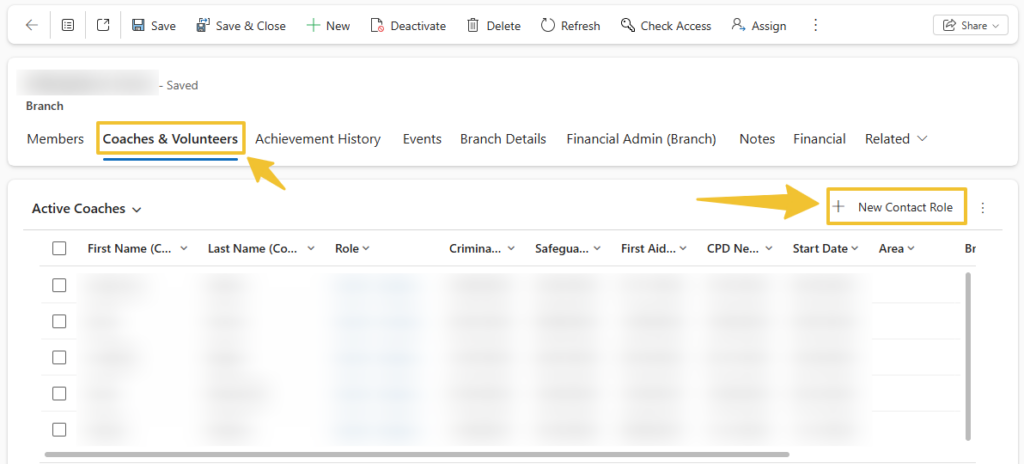
1 – From the Branch Summary Page, go to Coaches & Volunteers and select “+ New Contact Role”
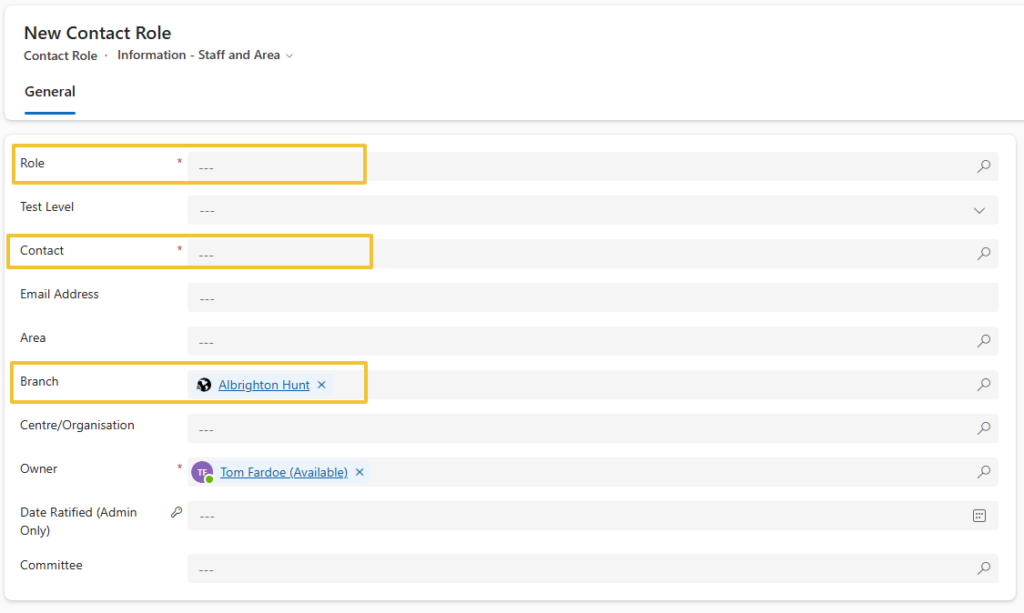
Insert the role – start typing “Coach” and the options Coach – Accredited / expired/supervised will come up. It does not matter which level you select, the system will update it according to the qualifications present. Insert the Contact Name, ensure the Branch/Centre/Area is populated and correct.
Start and End Dates
Enter the Start Date to keep track of when the Coach started, the end date is not required, but if one is entered the Coach role will be removed overnight on the end date.
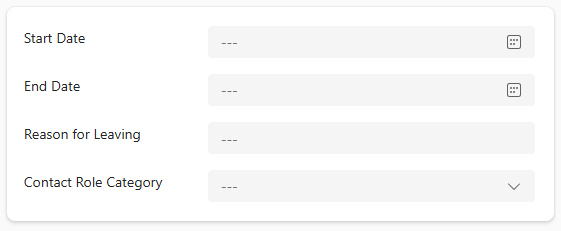
A coach can be expired ‘manually‘ by adding in todays date as an end date, the role will then be expired automatically by the system


