
Bulk Upload Achievements
It is possible to upload a number of different achievements to more than one contact in one upload!
1. Firstly, you need to prepare the data using the following template columns and save as a CSV file:
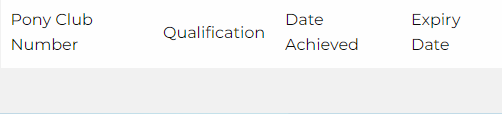
Note – you do not need to fill in the expiry date column
2. Next, select ‘Achievement History’ from the left-hand panel of Pelham, shown below:
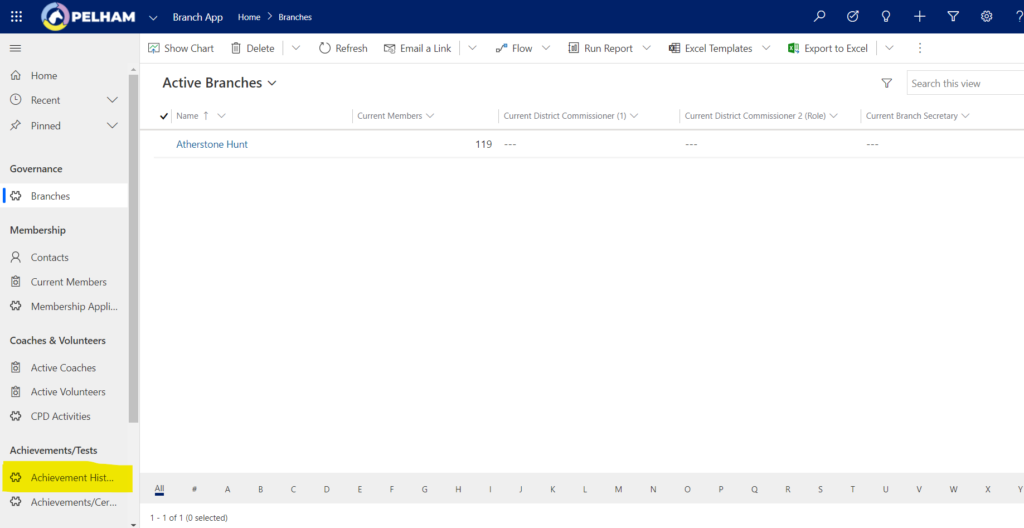
You will be taken to the ‘Current Members – Achievement History’ screen.
3. On the right-hand side, you will notice an arrow next to ‘Import from Excel’, click this arrow and select ‘Import from CSV’ from the dropdown that appears:

Note: If there is not an ‘Import from Excel’ option visible, look for the 3 vertical dots as shown below:

Then ‘Import from Excel’ will appear. Next click the arrow and select ‘Import from CSV’:

4. Select ‘choose file’ and upload your CSV file, then click next:
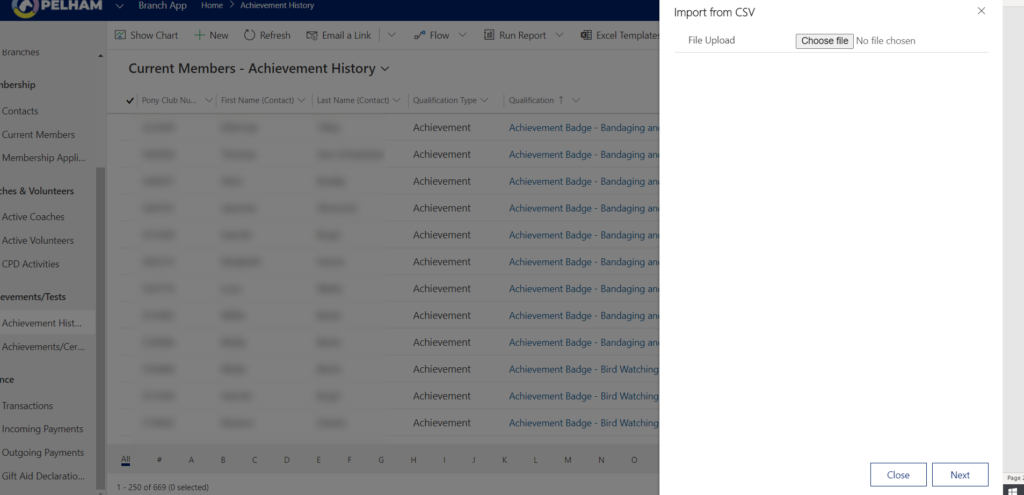
5. On the next screen click ‘Review Mapping’.
6. Using the arrow next to ‘Name Your Data Map’ select ‘Achievement History Import’:
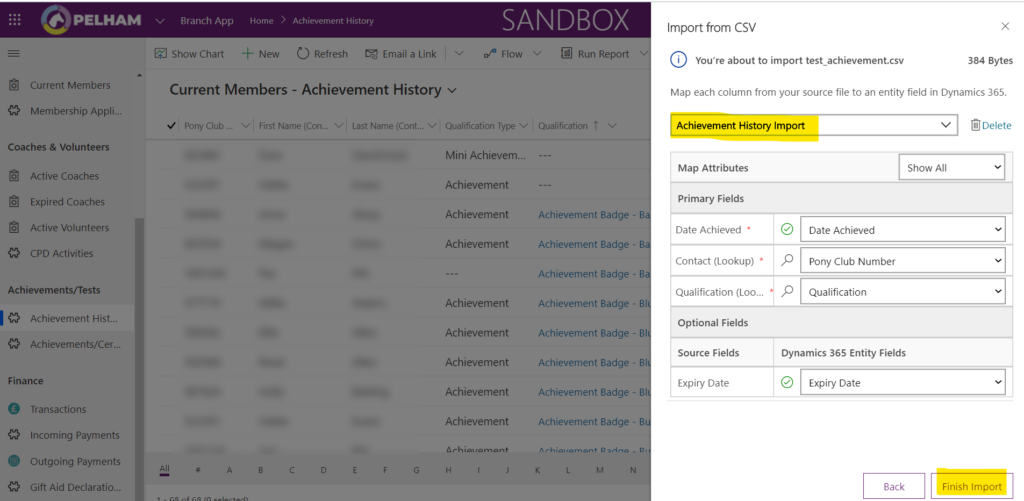
7. Finally click ‘Finish Import’ and your achievements will be uploaded.


